

Security Questionnaire Automation vs. Vendor Risk Management Software
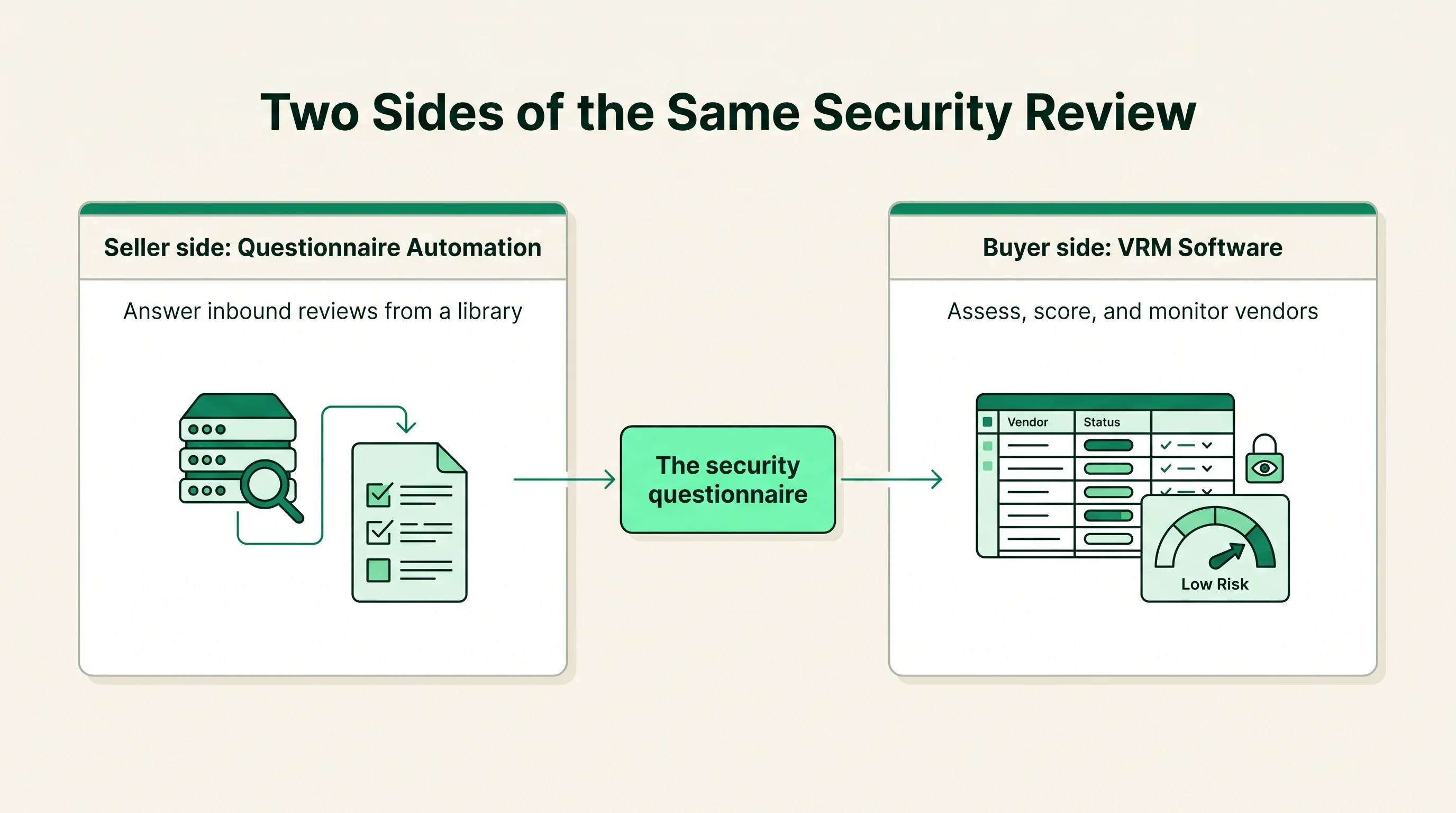
Security questionnaire automation helps a seller answer inbound security reviews fast from an approved answer library. Vendor risk management software helps a buyer assess, score, and monitor the vendors it relies on. They sit on opposite sides of the same exchange, and the questionnaire is the document that passes between them.
Quick answer: Security Questionnaire Automation vs. Vendor Risk Management Software
Security questionnaire automation fits the seller who answers inbound security reviews, while vendor risk management software fits the buyer who assesses, scores, and monitors its vendors. They are not competitors. They are the two halves of the same transaction, and the security questionnaire is the document that moves between them.
This is a two-sided exchange. When a buyer evaluates a vendor, the buyer sends a security questionnaire, and the vendor answers it. Vendor risk management software, often shortened to VRM, is what the buyer uses to send, collect, score, and track those reviews across every vendor it depends on. Questionnaire automation is what the vendor uses to answer them quickly and accurately from a maintained answer library.
VRM is the software-category name for the buyer side of third-party risk management. Where TPRM describes the whole discipline of managing supplier risk, VRM software is the concrete toolset a procurement or vendor risk team buys to run vendor assessments, hold a vendor inventory, and watch posture over time. For the broader discipline, see our glossary entry on third party risk management.
The right choice depends on your role in the exchange. Keep one question in front of you while you read. Are you the one answering security questionnaires, or the one sending them? If you do both, which is true for most companies, you likely need a tool on each side.
Security Questionnaire Automation vs. Vendor Risk Management Software: at a glance
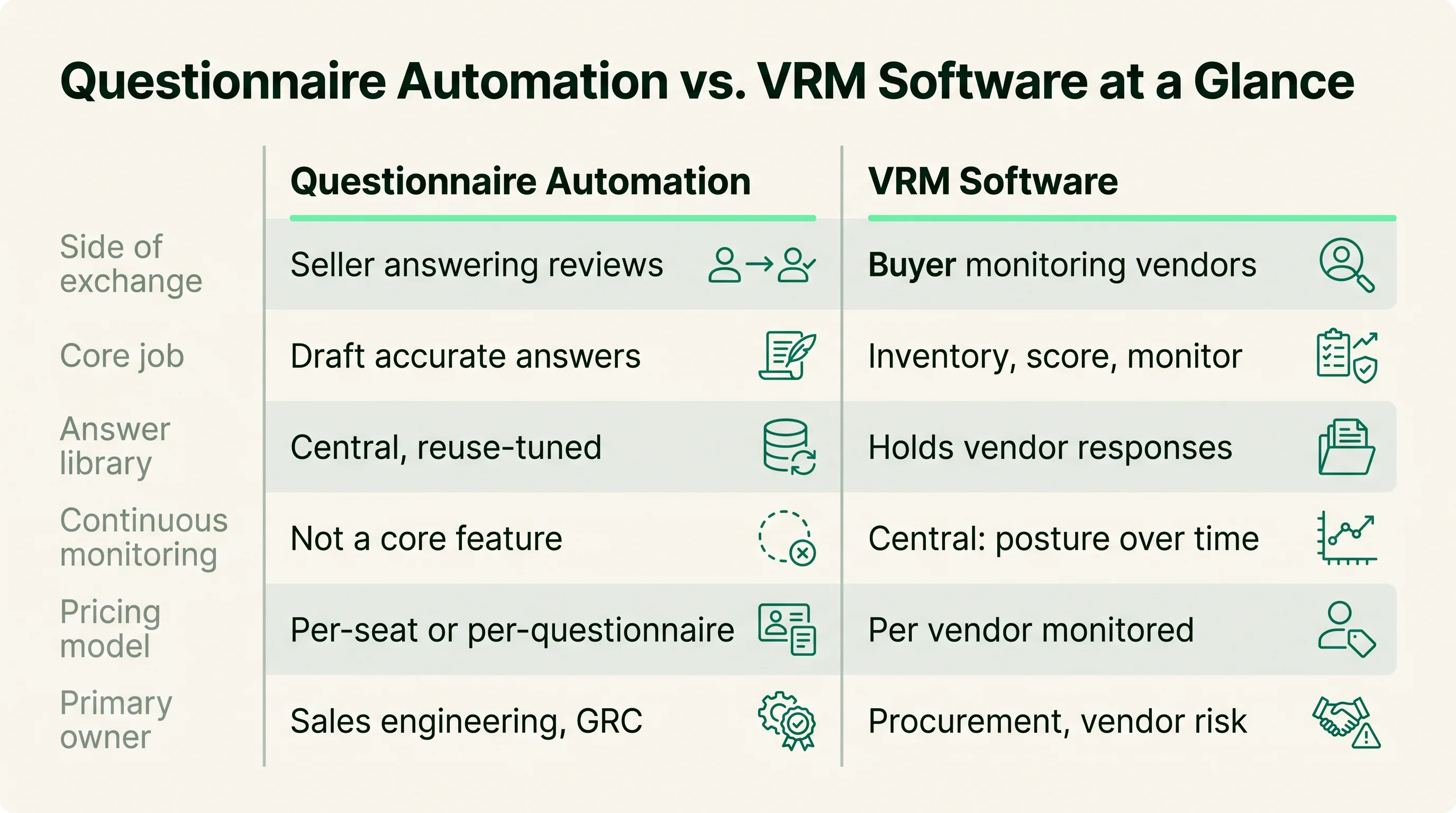
The two categories differ first on which side of the review they serve, and that single difference shapes every other criterion. Questionnaire automation optimizes for answering reviews about your own security; VRM software optimizes for running reviews of other companies' security. The table below compares them on the criteria buyers shortlist on.
| Criterion | Questionnaire Automation | VRM Software |
|---|---|---|
| Side of exchange | Seller answering inbound reviews | Buyer assessing and monitoring vendors |
| Core job | Draft and return accurate questionnaire answers | Inventory, score, and monitor vendor risk |
| Answer library | Central feature, deep and reuse-tuned | Not applicable; holds vendor responses instead |
| AI accuracy and citations | Tuned for drafting cited responses | Used for scoring, summarizing, and flagging risk |
| Format coverage | Outbound: CAIQ, SIG, custom, portal autofill | Inbound: standard templates plus custom assessments |
| Continuous monitoring | Not a core feature | Central: posture, breaches, scores over time |
| Pricing model | Per-seat, per-questionnaire, or tiered | Per vendor monitored, tiered, or platform bundle |
| Primary owner | Sales engineering, GRC, security | Procurement, vendor risk, GRC |
Read this table as a map of two roles, not a contest. A company that sells to enterprises and also buys software will recognize itself on both rows of the side-of-exchange line. Tools on each side keep maturing, so confirm current scope in a demo. For the buyer-evaluation lens that applies whichever side you sit on, see our guide on how enterprise buyers evaluate security questionnaire automation tools.
Where Security Questionnaire Automation is stronger
Security questionnaire automation is stronger wherever the job is answering an inbound review fast and accurately. The whole product is built around one outbound workflow: receive a buyer's questionnaire, draft responses from approved content, route them for review, and return them in the buyer's format. Tools such as Conveyor, Loopio, and Responsive are built around this seller-side task, with answer-library depth a general VRM platform does not aim to match.
The concrete strengths cluster around the response workflow:
- Answer-library depth: a curated library of approved answers linked to evidence, so the same subject-matter experts are not pulled into near-identical questions on every deal.
- Format coverage: handling for CAIQ, SIG, custom spreadsheets, and buyer portals, including autofill that maps stored answers into a buyer's third-party portal. Vendors report broad format support, which you should test on your own files.
- AI accuracy with citations: drafting tuned to ground each answer in approved content and cite the source, which matters more for outbound responses than for internal vendor scoring.
- Review and approval controls: routing, subject-matter-expert assignment, and approval steps designed around questionnaire answers rather than vendor risk records.
- Throughput under deal pressure: the workflow is built to absorb spiky, deal-driven inflow so a stalled security review does not hold up a signed contract.
There is a revenue argument here that a buyer-side tool does not carry. A slow questionnaire response can delay a deal, so the team that shortens that turnaround is working on the sales cycle, not just on paperwork. That is the pressure dedicated automation is tuned for.
The honest limit is scope. A questionnaire tool answers reviews well, but it does not hold a vendor inventory, score third-party risk, or monitor a supplier's posture over time. If answering inbound questionnaires is your bottleneck, that focus is the advantage. Capability claims here are vendor-reported and worth confirming against your real questionnaires in a trial. For the underlying concept, see our explainer on what security questionnaire automation is.
Where Vendor Risk Management Software is stronger
Vendor risk management software is stronger wherever the job is assessing and watching the companies you depend on. VRM is the buyer-side toolset inside third-party risk management, and platforms such as OneTrust, Prevalent, ProcessUnity, and Whistic's buyer-side modules are built to run vendor assessments at portfolio scale. Where a questionnaire tool answers one company's reviews, VRM software manages reviews of many vendors at once.
The strengths sit in portfolio assessment and oversight:
- Vendor inventory: a central register of every third party, its data access, and its inherent risk tier, so the program scales beyond a spreadsheet of suppliers.
- Risk scoring: structured scoring that turns questionnaire responses and other signals into a comparable rating across the whole vendor portfolio.
- Continuous monitoring: ongoing checks for breaches, security-rating changes, and posture drift between formal reassessments, so a vendor's status is not frozen at onboarding.
- Assessment workflows: sending standard or custom questionnaires, chasing responses, collecting evidence, and tracking each review to completion.
- Remediation tracking: logging findings, assigning owners, and following issues to closure with an audit trail procurement and the CISO can report on.
The questionnaire sits at the center of this workflow as an inbound document. VRM software sends it, collects the vendor's answers, and feeds those answers into scoring and monitoring. The buyer is consuming the same questionnaire the seller's automation tool produced, which is exactly where the two categories connect.
The honest limit mirrors the other side. VRM software runs vendor assessments well, but it is not built to draft your own outbound answers from an approved library when a customer reviews you. Capability and monitoring claims here are vendor-reported and worth verifying against your portfolio in a demo. For the buyer-side category, see the third party risk management software hub.
Pricing and implementation differences
The two categories price and deploy differently because they sell to different sides of the exchange. Questionnaire automation prices around how many reviews you answer and who answers them. VRM software prices around how many vendors you assess and monitor. Neither is cheaper in the abstract; cost depends on your volume on your side of the transaction.
The pricing models break down cleanly:
- Questionnaire automation: commonly per-seat, per-questionnaire, or tiered around response volume, so cost tracks how many people answer reviews or how many reviews you process.
- VRM software: usually per vendor monitored, tiered by portfolio size, or bundled into a wider TPRM or GRC platform, so cost tracks how many third parties you manage.
Implementation effort splits the same way. A questionnaire tool's rollout centers on the answer library: import past responses, curate approved answers, link evidence, connect a CRM or knowledge base, and tune review routing. Teams can often start answering real questionnaires soon after the library is loaded.
A VRM platform's rollout centers on the vendor inventory and the assessment process. The work is building or importing the vendor list, setting risk tiers, defining questionnaire templates and scoring rules, and connecting monitoring feeds. That is a program-design effort across procurement, security, and sometimes legal, not just a tool install. It pays off in portfolio oversight, but it is a broader project than standing up a response workflow.
The practical rule is to price and scope each option against your real role. If you mostly answer reviews, size questionnaire automation to your response volume. If you mostly assess vendors, size VRM software to your portfolio. Without inventing figures, match the model to the side of the exchange you are on. For the seller-side models in detail, see our breakdown of security questionnaire automation pricing models.
Which one should you choose?
Choose based on which side of the security review you are on, not on which category sounds broader. If you answer inbound questionnaires, questionnaire automation is your tool. If you assess and monitor the vendors you rely on, VRM software is your tool. Many companies need both, because they sell to customers who review them and buy from suppliers they must review in turn.
You need security questionnaire automation when:
- Inbound security reviews are slowing your deals and pulling subject-matter experts off other work.
- You receive many formats, including CAIQ, SIG, custom spreadsheets, and buyer portals that need autofill.
- Answer-library depth, AI citation accuracy, and response review controls are your top criteria.
- Your team's job is responding to questionnaires, owned by sales engineering, GRC, or security.
- Response speed and throughput under deal pressure matter more than managing a vendor portfolio.
You need vendor risk management software when:
- You depend on many third parties and need a central inventory with risk tiers, not a spreadsheet.
- Scoring, continuous monitoring, and remediation tracking across vendors are the core of the job.
- Procurement or vendor risk owns the work and must report portfolio status to the CISO and auditors.
- You send questionnaires and need to collect, score, and follow up on vendor responses at scale.
- Watching vendor posture between reassessments matters as much as the initial review.
If both lists describe you, plan to run a tool on each side and connect them at the questionnaire. The seller-side tool produces the answers; the buyer-side tool consumes them. Verify scope on whichever side you are buying for in a demo against your real formats or your real vendor list. To build a seller-side shortlist, start from the security questionnaire automation category hub and weigh each option against your actual review workload.
How this article was reviewed
Sources reviewed
- AICPA - SOC 2Primary source for what a SOC 2 report attests, a certification both sides reference in questionnaires and vendor scoring.
- ISO/IEC 27001Primary source for the information security management standard cited in answer libraries and weighed in vendor risk scoring.
- Cloud Security Alliance - CAIQPrimary source for the CAIQ format, a standardized questionnaire sent by VRM software and answered by questionnaire automation.
- Shared Assessments - SIGPrimary source for the SIG questionnaire format used in tiered vendor assessments and outbound response coverage.
- NISTPrimary source for the cybersecurity framework used to structure vendor risk controls and assessment criteria.
- Vendor product and documentation (Conveyor, Loopio, Responsive, OneTrust, Prevalent, ProcessUnity, Whistic)Capability, monitoring, and pricing-model claims are vendor-reported and evolving; confirm current scope in a demo against your own formats or vendor portfolio.
FAQ
How do you tier vendor questionnaire depth based on inherent risk level?
Tier questionnaire depth on the buyer side using VRM software, which is built for exactly this. Set inherent risk tiers by what data and access each vendor has, then map a shorter questionnaire to low-risk vendors and a full assessment, such as a SIG or a custom set, to high-risk ones. The VRM platform applies the right template automatically so low-risk vendors are not over-assessed and critical vendors get full scrutiny.
How do you integrate questionnaire automation into a formal TPRM workflow?
Questionnaire automation and TPRM connect through the questionnaire itself, but they serve different sides. In a formal TPRM workflow, VRM software sends and tracks assessments, while a vendor being assessed uses questionnaire automation to answer them. If you run the TPRM program, integrate by standardizing on formats like CAIQ or SIG so responses import cleanly; if you are the vendor, automation speeds your reply to whatever the buyer's TPRM tool sends.
What questionnaire response data feeds into TPRM vendor risk scoring?
The vendor's answers feed scoring, along with the evidence attached to them. VRM software typically scores on control coverage, certifications such as SOC 2 and ISO 27001, data-handling answers, and gaps or exceptions the vendor discloses. Cited, evidence-linked answers from a seller's questionnaire automation tool are easier to score because the buyer can verify each claim rather than taking a free-text response at face value.
How do GRC platforms compare to standalone tools for TPRM questionnaire workflows?
GRC platforms bundle vendor risk into a wider compliance suite, while standalone VRM tools focus on third-party assessment and monitoring. A GRC platform fits when you want vendor risk alongside internal controls and audit evidence in one place. A standalone VRM tool usually offers deeper vendor inventory, scoring, and monitoring. Either way, verify the questionnaire workflow against your real formats and portfolio rather than assuming the bundled module matches a focused tool.
How do you update vendor risk ratings continuously using questionnaire response data?
Continuous rating updates are a core VRM software feature, not a questionnaire-tool feature. The platform combines periodic reassessment questionnaires with ongoing signals such as breach alerts and security-rating changes, then adjusts each vendor's score as new data arrives. Schedule reassessment questionnaires by risk tier so high-risk vendors are re-reviewed more often, and let the monitoring feeds move the rating between those formal reviews.